
Building software for Windows, macOS and Linux in 2026
Cross-platform desktop development has changed: ARM laptops, lighter frameworks, on-device AI and stricter signing. Here is how to ship one product that feels native everywhere.
Desktop software is having a quiet revival. Teams want tools that work offline, handle large files, use local hardware and keep sensitive data on the device. At the same time, users expect the same product on Windows, macOS and Linux. Building three separate apps is rarely realistic, so the question becomes how to share as much as possible without making the product feel foreign on any platform.
The landscape has shifted
Several changes now shape every cross-platform project.
- ARM is mainstream: Apple silicon Macs and a growing range of Windows on Arm laptops mean every release needs both x64 and ARM64 builds.
- On-device AI is practical: modern laptops ship with neural processors, so features like transcription, summarisation and search can run locally and privately.
- Security expectations are higher: code signing, notarisation and secure auto-updates are no longer optional for professional software.
- Users expect web-like polish: fast start-up, smooth animation and accessible interfaces on every operating system.
Choosing a framework
There is no single right answer, only trade-offs between reach, performance, native feel and team skills.
- Electron bundles a browser engine with Node.js. It is mature and familiar to web teams, but apps are larger and use more memory.
- Tauri pairs a Rust core with the operating system's own web view, producing much smaller, lighter apps with a strong security model.
- Flutter renders its own consistent interface and now targets desktop alongside mobile, which suits products that share a design system across devices.
- .NET MAUI and Avalonia let C# teams share code across Windows, macOS and Linux, with Avalonia offering strong Linux support.
- Qt remains a proven choice for performance-critical and industrial software written in C++.
- Compose Multiplatform brings Kotlin's declarative UI to desktop for teams already invested in Android.
Choose based on what the product needs most: a tiny footprint, heavy graphics, deep operating system integration or maximum code sharing with an existing mobile or web app.
Share the core, respect the platform
The most successful cross-platform apps share business logic, data handling and networking, while letting each platform behave as users expect. Keyboard shortcuts should use Command on macOS and Control elsewhere. Menus belong in the menu bar on a Mac and inside the window on Windows. File dialogs, notifications, tray icons and dark mode should all follow the system. Small details like these decide whether an app feels at home or merely ported.
Users never see your architecture. They see whether the app behaves like everything else on their computer.
Rust and WebAssembly at the core
A growing number of teams write performance-sensitive logic once in Rust and use it everywhere: inside a desktop app, on the server and in the browser through WebAssembly. Rust's memory safety removes a whole class of security bugs, and its tooling makes cross-compiling for different operating systems and processors straightforward.
One pipeline, every target
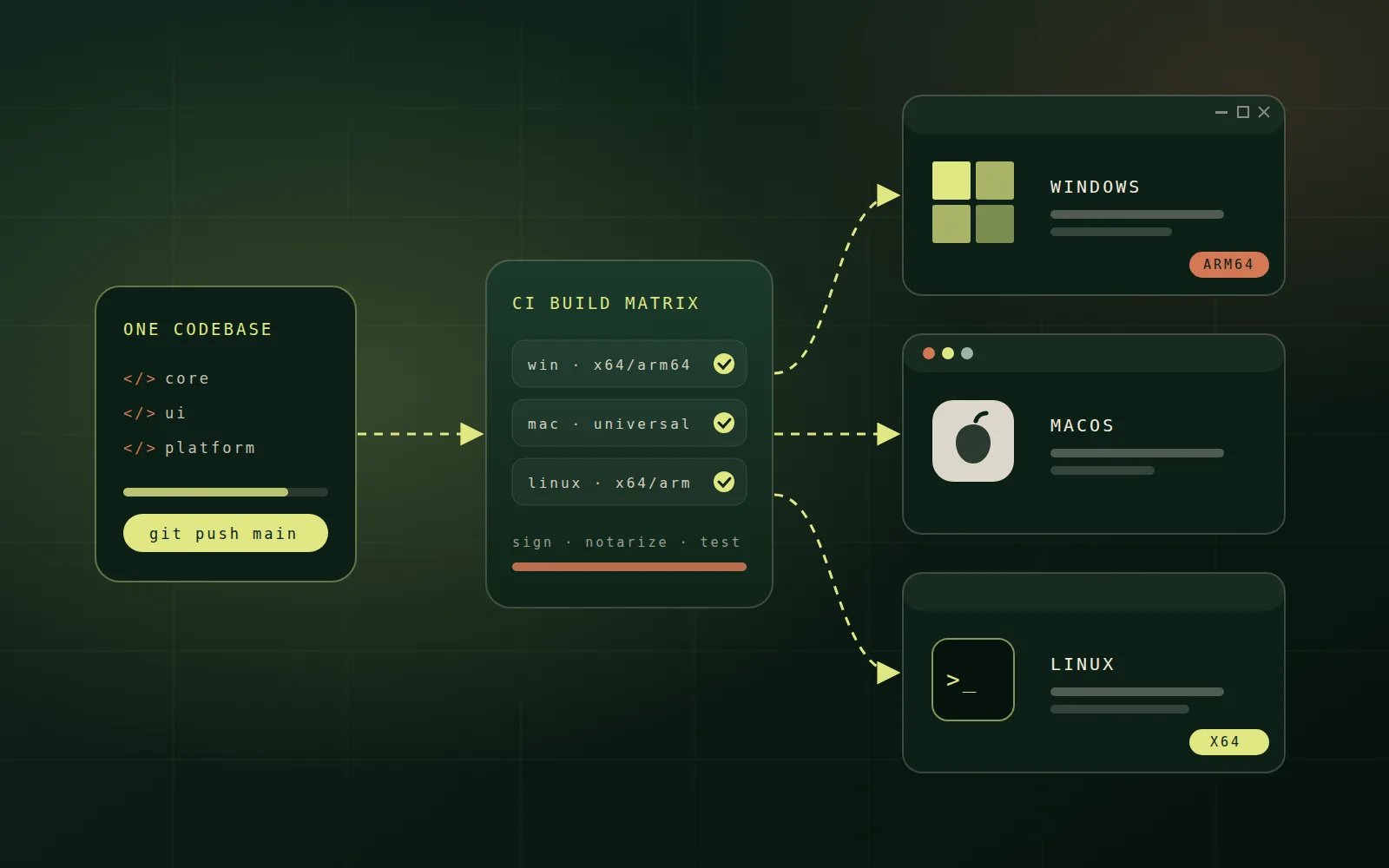
Cross-platform development lives or dies in continuous integration. A build matrix compiles, tests and packages every combination of operating system and processor on every change, so a problem on one platform is caught before release rather than reported by customers.
- Build Windows installers, macOS app bundles and Linux packages such as AppImage, deb and Flatpak from the same pipeline.
- Produce x64 and ARM64 builds, or universal binaries on macOS.
- Run automated UI and integration tests on real runners for each operating system.
- Keep signing keys in a secrets manager and sign every artifact automatically.
Signing, notarisation and updates
Unsigned software triggers warnings that destroy user trust. Windows apps should be signed with a trusted certificate, macOS apps must be signed and notarised by Apple, and Linux packages should be signed for their repositories. A secure auto-update system then delivers fixes quickly: updates must be signed, verified before installation, and released in stages so a faulty version can be stopped early.
Trends to watch in 2026
- Local-first software that works offline and syncs safely when a connection returns.
- On-device AI features using the laptop's neural processor instead of sending data to the cloud.
- Smaller apps, as teams move from bundled browser engines to system web views and native toolkits.
- Stronger sandboxing and permission models on every desktop operating system.
- Development containers that give every developer an identical environment on any operating system.
Accessibility on every platform
Each operating system has its own screen reader, high-contrast settings and keyboard conventions. Cross-platform frameworks vary widely in how well they connect to these, so test with VoiceOver on macOS, Narrator or NVDA on Windows, and Orca on Linux. Accessible apps reach more users and often meet procurement requirements for business and public-sector customers.
Performance and footprint
Desktop users notice slow start-up and heavy memory use, especially on laptops running many apps at once. Load only what the first screen needs, move heavy work off the interface thread, and measure memory and battery impact on each platform. Lighter frameworks help, but discipline in what the app does at launch matters even more.
Test on real machines
Emulators and virtual machines catch many problems, but not all of them. Keep a small set of real devices covering each operating system and processor architecture you support, including high-density displays, older hardware and different keyboard layouts. Install every release candidate on them and run through the key journeys before it reaches users.
A practical starting checklist
- Define which platforms and processor architectures you will support at launch.
- Choose a framework based on footprint, performance needs and team skills.
- Set up the CI build matrix, signing and packaging before building features.
- Design platform-specific details such as menus, shortcuts and notifications from the start.
- Plan secure, staged auto-updates and crash reporting before the first public release.
Cross-platform no longer has to mean compromise. With the right framework, a shared core and a disciplined release pipeline, one team can ship desktop software that feels native on Windows, macOS and Linux, and keeps improving with every release.